


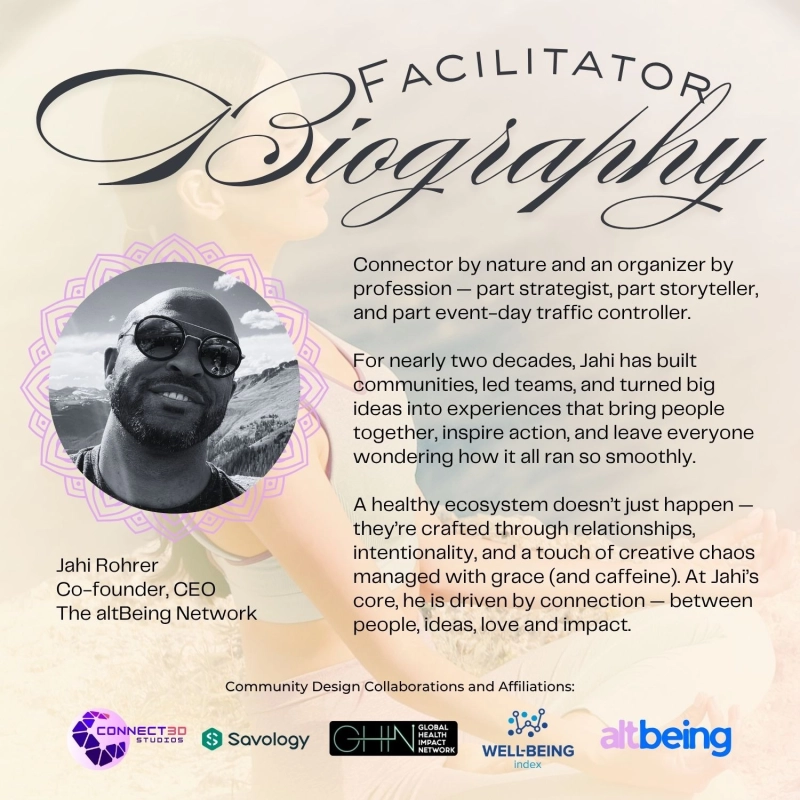



Description
These lessons are designed for practitioners who already understand the basics of Canva and are ready to create more polished, strategic, and brand-consistent content. Intermediate users will learn how to organize brand assets, use advanced layout tools, collaborate with teams, create multi-page projects, and improve workflow efficiency.
Each module is tailored to the practitioner's professional and spiritual needs.
After you purchase, send a message on your dashboard (speech bubble on upper right side of your screen) to: (1) request a video link and (2) list coaching session module of focus.
Shop Policies
Payment Policy
SERVICE POLICY
1. Overview
This policy outlines how payments for services are handled on the AltBeing marketplace. It is designed to ensure a secure, transparent, and reliable experience when booking sessions, classes, or experiences with sellers.
2. Payment at Booking
Full payment is required at the time of booking unless otherwise stated
Your booking is not confirmed until payment is successfully processed
Prices are listed in USD unless otherwise specified
3. Accepted Payment Methods
Payments are processed securely through AltBeing’s payment providers (e.g., Stripe, PayPal)
You must use a valid and authorized payment method. AltBeing does not store your full payment details
4. Service Confirmation
Once payment is completed, you will receive a confirmation with service details This includes date, time, format (virtual or in-person), and any access instructions
It is your responsibility to review and prepare for the scheduled service
5. Pricing Transparency
All pricing is set by the seller and displayed before purchase
Any applicable taxes or fees will be shown at checkout before payment is completed
6. No-Show Policy
A “no-show” is defined as failing to attend a scheduled service without providing notice within the seller’s stated cancellation window
If you do not attend your scheduled session, your payment may be fully forfeited. Sellers are not obligated to reschedule missed sessions but may offer rescheduling at their discretion
Repeated no-shows may result in account restrictions or limited booking privileges on AltBeing
In cases of emergencies or extenuating circumstances, you are encouraged to contact the seller as soon as possible; accommodations are not guaranteed but may be considered
7. Rescheduling
Rescheduling requests must be made within the seller’s stated cancellation window (typically 24–72 hours before the scheduled service)
Requests submitted outside of this window may be denied or subject to additional fees at the seller’s discretion. Rescheduling is subject to the seller’s availability and is not guaranteed. Buyers are responsible for coordinating a new time directly through the platform or as instructed by the seller. Sellers may limit the number of reschedules per booking (e.g., one reschedule per purchase)
Failure to attend a rescheduled session may be treated as a no-show and may result in forfeiture of payment. In cases of emergencies or extenuating circumstances, buyers are encouraged to communicate promptly; accommodations may be considered at the seller’s discretion
8. Disputes & Support
Buyers are encouraged to first contact the seller directly to resolve any issues related to a service or transaction. If a resolution cannot be reached, buyers may submit a formal dispute through AltBeing at info@alt-being.com with subject line “Dispute” within 7–14 days of the scheduled service or delivery date
🔹 Dispute Review Process
AltBeing will review all relevant information, including:
Service listing details
Communication between buyer and seller. Proof of delivery or completion
Additional documentation may be requested from either party
🔹 Resolution Outcomes
AltBeing may determine one of the following outcomes:
Full or partial refund
Rescheduling of the service
No refund, if the service was delivered as agreed
Other remedies deemed appropriate based on the situation
🔹 Response Timeframes
Sellers are expected to respond to disputes within 48–72 hours
AltBeing aims to review and resolve disputes within 5–10 business days, depending on complexity
🔹 Platform Authority
AltBeing acts as a neutral intermediary and reserves the right to make the final decision on all disputes. Decisions are based on platform policies, fairness, and available evidence
🔹 Misuse of Disputes
Abuse of the dispute process (e.g., false claims, repeated bad-faith disputes) may result in account restrictions or suspension
🔹 Support Access
Buyers can access support through their account dashboard or designated support channels
For urgent issues, priority support may be available depending on the nature of the request
9. Chargebacks
Initiating a chargeback without first attempting to resolve the issue through AltBeing may result in account restrictions. We encourage using the platform’s dispute process for faster and fairer outcomes
10. Fraud & Security
All transactions are monitored for fraud and unauthorized activity
AltBeing may cancel or hold transactions if suspicious activity is detected
11. Your Responsibilities
By booking a service, you agree to:
Provide accurate information. Attend sessions on time. Follow any preparation instructions. Respect the seller’s policies and time
12. Policy Updates
The seller may update this policy at any time. Continued use of the platform constitutes acceptance of any changes.
------------------------------------------
PRODUCT POLICY
1. Payment Overview
All product purchases on AltBeing must be completed at the time of checkout. We accept major payment methods, ensuring your transactions are secure and straightforward.
2. Accepted Payment Methods
Stripe: Credit and debit cards (Visa, MasterCard, American Express, Discover).
PayPal: Standard PayPal payments. Other Methods: Any additional payment options offered by the seller will be clearly displayed on the product page. Note: Payments are processed securely through our partners. AltBeing does not store your payment card details.
3. Payment Requirements
Full payment is required before your order is confirmed. Taxes, shipping, and any applicable fees will be calculated at checkout. Once payment is successful, you will receive an order confirmation via email.
4. Payment Security
AltBeing uses industry-standard encryption and fraud prevention protocols. Sellers do not have access to your full payment details; only the necessary information to fulfill your order is shared securely.
5. Order Confirmation
Orders are confirmed only after payment is successfully processed. If your payment is declined, your order will not be processed. You will need to attempt payment again or contact our support team.
6. Failed or Declined Payments
If a payment fails, you will be notified immediately. Please check your payment information or try an alternate payment method. Orders with unresolved payments within [X hours/days] may be automatically canceled.
7. Refunds & Cancellations
For product cancellations or returns, refer to our AltBeing Returns & Refunds Policy. Refunds will be processed to the original payment method once the return or cancellation is approved.
8. Additional Notes
AltBeing reserves the right to update payment policies for security or regulatory reasons.
For questions about payment, order issues, or refunds, please contact our support team at info@alt-being.com.
Delivery Policy
1. Overview
This Delivery Policy outlines how services, digital products, and physical goods are delivered through the AltBeing marketplace.
2. Service Delivery
🔹 Scheduling & Access
Services must be delivered at the date and time agreed upon at booking Sellers are responsible for providing clear access details (e.g., video link, location, instructions)
Customers must ensure they are available and prepared at the scheduled time
🔹 Delivery Formats
Services may be delivered through:
Live virtual sessions (e.g., video or phone). altAcademy’s “Go Live” feature is the platform’s video mode of choice. AltAcademy can be accessed at community.alt-being.com. In-person experiences. Pre-recorded or asynchronous formats (again, altBeing is mode of choice). The format must be clearly stated in the listing.
🔹 Timeliness
Sellers must begin services within a reasonable window of the scheduled time. Significant delays must be communicated promptly
Failure to deliver may result in refunds or penalties
3. Digital Product Delivery
🔹 Access & Availability
Digital products (e.g., courses, recordings, downloads) must be delivered immediately or within the timeframe stated. Customers will receive access via email, account dashboard, or download link
🔹 Access Issues
Sellers must provide support if customers experience access problems. AltBeing may intervene if access is not provided as promised
4. Customer Responsibilities
Customers agree to:
Provide accurate contact and delivery information. Attend scheduled services on time
Follow any preparation instructions provided
5. Failed Delivery
🔹 Services
Missed sessions (no-shows) are subject to seller policies. Sellers must make reasonable efforts to deliver services
🔹 Physical Products
Incorrect addresses provided by the customer may result in failed delivery Re-shipping fees may apply
6. Disputes & Resolution
Customers should first contact the seller to resolve delivery issues
If unresolved, AltBeing may review and intervene. Final decisions will be made based on evidence and policy compliance
7. Compliance & Performance
Sellers must maintain:
Reliable delivery timelines
Clear communication. High fulfillment rates. Repeated delivery failures may result in penalties or account removal.
8. Policy Updates
AltBeing may update this Delivery Policy at any time. Continued use of the platform constitutes acceptance of any changes.
Refund Policy
1. Overview
This Refund Policy outlines how refunds are handled. Our approach balances platform-wide standards with seller-defined policies to ensure fairness, transparency, and trust.
2. Platform-Wide Standards (Non-Negotiable)
The following rules apply to all services:
🔹 Full Refunds Issued When:
A seller cancels the service. The service provided is materially different from its description. There is a verified platform or payment error
🔹 Dispute Eligibility
Customers may request a refund review if: The service was not delivered as agreed; There was a significant quality or conduct issue;
The experience violated AltBeing’s community or ethical standards.
AltBeing reserves the right to investigate and make a final determination.
🔹 Non-Refundable Situations
Refunds will generally NOT be issued for:
Change of mind after service delivery; Missed appointments without proper notice (no-shows); Dissatisfaction based on subjective expectations not outlined in listing
3. Seller-Controlled Refund Policies
Sellers must select or align with one of the following:
Flexible - Full refund up to 48 hours before service; Partial refund within shorter window
4. Digital Products & Classes
Digital products are generally non-refundable once accessed or downloaded. Live classes are non-refundable. Recorded content access policies must be clearly stated.
5. Refund Process
Customer submits request through the platform Seller reviews and responds within defined timeframe
If unresolved, AltBeing may intervene
Approved refunds are processed to the original payment method
6. Timeline for Refunds
Approved refunds are processed within 5–10 business days.
Processing time may vary by payment provider.
7. Abuse & Protection
Repeated refund abuse may result in account restrictions. Sellers with excessive complaints may face penalties or removal.
Offer to Buyer
Message back with what skills you hope to cover while we work in Canva.
Customer reviews
Share your thoughts with other customers
Be the first one to write a review!